
I tested the world-understanding avatar of Gemini Live. It was shocking
It’s somewhat unnerving to hear an AI talking in an eerily friendly tone and telling me to clean up the clutter on my workstation. I am somewhat proud
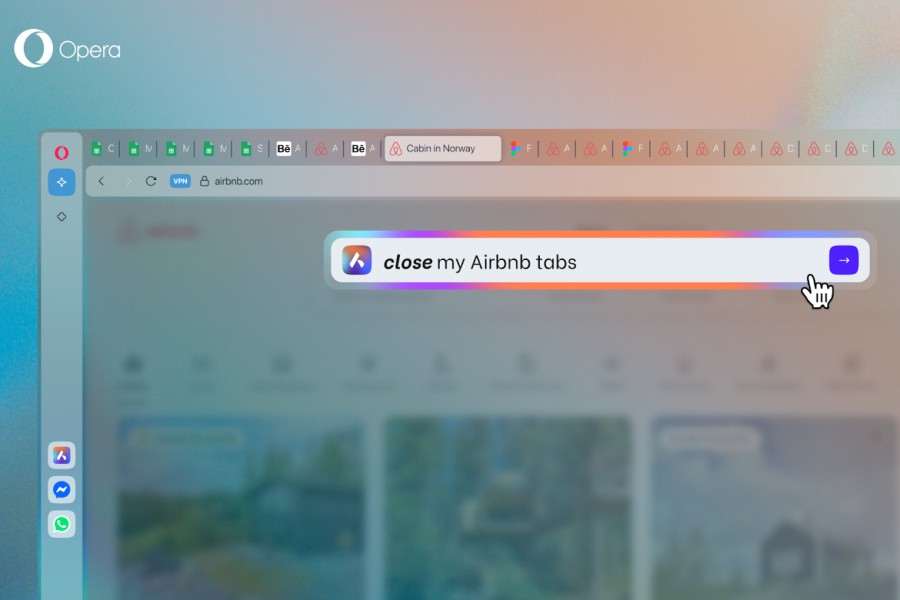
Opera One browser has lately won a lot of plaudits for its slick implementation of useful AI features, a clean design, and a healthy bunch of chat integrations. Now, it is putting AI in command of your browser tabs, and in a good way.
The new feature is called AI Tab Commands, and it essentially allows users to handle their tabs using natural language commands. All you need to do is summon the onboard Aria AI assistant, and it will handle the rest like an obedient AI butler.
The overarching idea is to let the AI handle multiple tabs, and not just one. For example, you can ask it to “group all Wikipedia tabs together,” “close all the Smithsonian tabs,” “or shut down the inactive tabs.”
Handling tabs is a chore in any web browser, and if internet research is part of your daily job, you know the drill. Having to manually move around tabs using a mix of cursor and keyboard shorcuts, naming them, and checking through the entire list of tabs is a tedious task.
Deploying an AI do it locally — and using only natural language commands — is a lovely convenience and one of the nicest implementations of AI I’ve seen lately. Interestingly, Opera is also working on a futuristic AI agent that will get browser-based work done using only text prompts.
Coming back to the AI-driven tab management, the entire process unfolds locally, and no data is sent to servers, which is a neat assurance. “When using Tab Commands and asking Aria to e.g. organize their tabs, the AI only sends to the server the prompt a user provides (e.g., “close all my YouTube tabs”) – nothing else,” says the company.
To summon the AI Tab manager, users can hit the Ctrl + slash(/) shortcut, or the Command + Slash combo for macOS. It can also be invoked with a right-click on the tabs, as long as there are five or more currently running in a window.
Now you can command your tabs with AI in Opera One!
New in Tab Commands
Here’s how you can manage your tabs with our agentic AI using natural language in Aria pic.twitter.com/vVdWYVq5Ka
— Opera (@opera) March 26, 2025
Aside from closing or grouping tabs, the AI Tab Commands can also be used to pin tabs. It can also accept exception commands, such as “close all tabs except the YouTube tabs.” Notably, this feature is also making its way to Opera Air and the gaming-focused Opera GX browser, as well.
Talking about grouping together related tabs, Opera has a neat system called tab islands, instead of color-coded tab groups at the top, as is the case with Chrome or Safari. Opera’s implementation looks better and works really well.
Notably, the AI Tab Commands window also comes with an undo shortcut, for scenarios where you want to revert the actions, like reviving a bunch of closed tabs. Opera One is now available to download on Windows and macOS devices. Opera also offers Air, a browser than puts some zen into your daily workflow.

It’s somewhat unnerving to hear an AI talking in an eerily friendly tone and telling me to clean up the clutter on my workstation. I am somewhat proud
Imagine putting your name into ChatGPT to see what it knows about you, only for it to confidently — yet wrongly — claim that you had been jailed for 2

Competition in the AI industry remains tough, and OpenAI has proven that it is not taking any coming challenges lightly. The generative AI brand annou

Meta wants a piece of the pie — a big piece — when it comes to generative AI. As part of its long-term strategy to embed itself in every part of our l
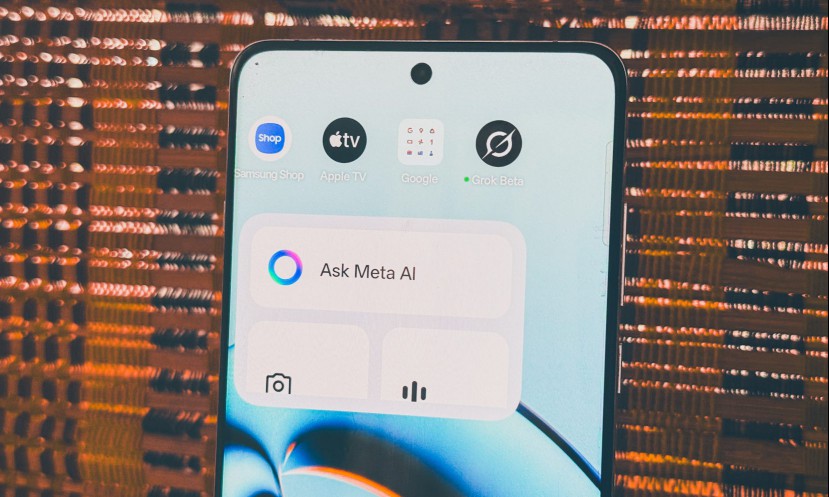
Meta has found another place to push its eponymous AI, after injecting it as a standalone chat character in the world’s most popular messaging app. Th
The privacy and safety troubles continue to pile up for buzzy Chinese AI upstart DeepSeek. After having access blocked for lawmakers and federal emplo

After backlash over removing the Menu key, Microsoft is possibly bringing it back in a later build—partially—to Windows keyboards, restoring some of i
We are a comprehensive and trusted information platform dedicated to delivering high-quality content across a wide range of topics, including society, technology, business, health, culture, and entertainment.
From breaking news to in-depth reports, we adhere to the principles of accuracy and diverse perspectives, helping readers find clarity and reliability in today’s fast-paced information landscape.
Our goal is to be a dependable source of knowledge for every reader—making information not only accessible but truly trustworthy. Looking ahead, we will continue to enhance our content and services, connecting the world and delivering value.