
The hottest new ChatGPT trend is disturbingly morbid
The rise of AI has helped us make some huge leaps. From helping with medicine research to spotting cancer, the advances enabled by AI have been pretty
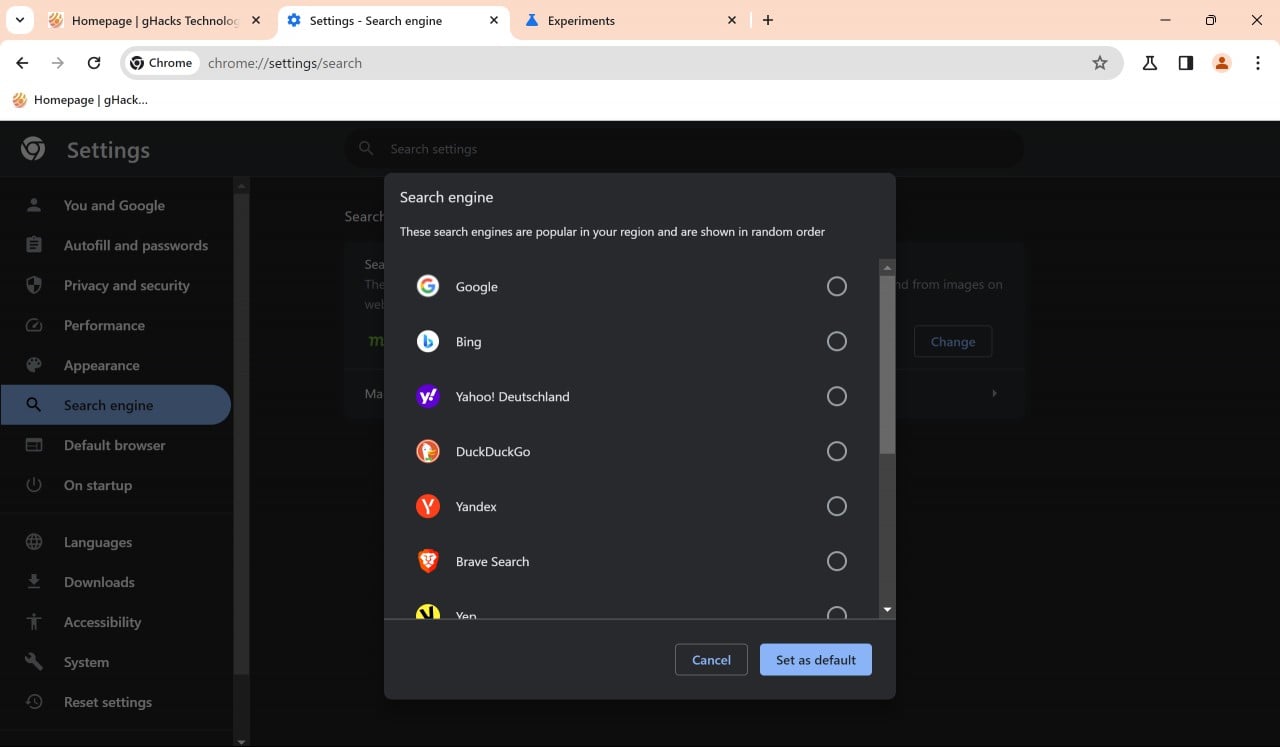
Google Chrome users will soon get a "choose your search engine prompt" when they start the desktop web browser. This prompt allows them to select a search engine out of several ones popular in the user's region.
The change is not global, but will roll out in early 2024 to Chrome users from the European Union and European Economic Area.
Google displays such a prompt on Android already. The desktop prompt uses similar mechanics.
When Chrome users launch the browser, they get an overlay on the screen that prompts them to select the default search engine of the browser.
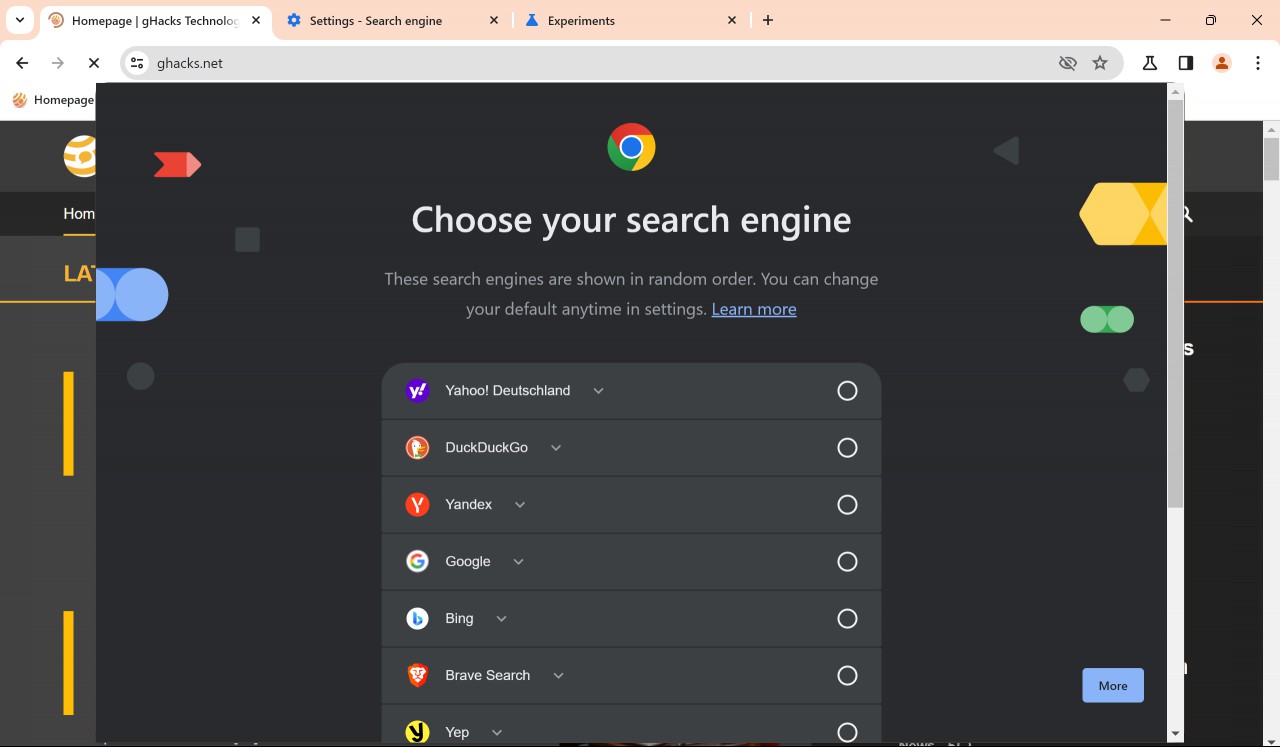
This search engine powers core functionality of the web browser, including address bar searches. Google picks a selection of popular search engines of the user's region and displays them in random order.
The list contains a large number of search engines. You find major search engines like Google Search, Bing or DuckDuckGo on the list, but also smaller ones, like Brave Search, Yep or Qwant. The list may vary by region though.
Chrome users may click on the "learn more" link to find out more about the choice that they make. Here is how Google describes it:
Your search engine in Chrome
Based on a law in your region, Chrome asks you to choose your default search engine. These search engines are popular in your region and are shown in random order.
Your default search engine lets you search the web and powers Chrome features like searching from the address bar and from images on web pages. A feature might not be available if your search engine doesn’t support it.
You can change your search engine anytime in Chrome’s settings.
Chrome users have to make a choice to use the browser. Google does not highlight the current default search engine, which is only of interest to existing Chrome users who get the prompt.
A click on the "set as default" button makes the selected search engine the default in Chrome.
Note that you may change the search engine at any time in the Chrome Settings. Here is how that is done:
Tip: Chrome picks up search engines automatically when you use them for the first time, provided that they use a certain standard. If your favorite search engine is not listed by Chrome, try running a search using it and then loading chrome://settings/searchEngines in Chrome. It should be listed there under "inactive shortcuts". Select Activate and then the three-dots next to it to make it the default search engine in the browser.
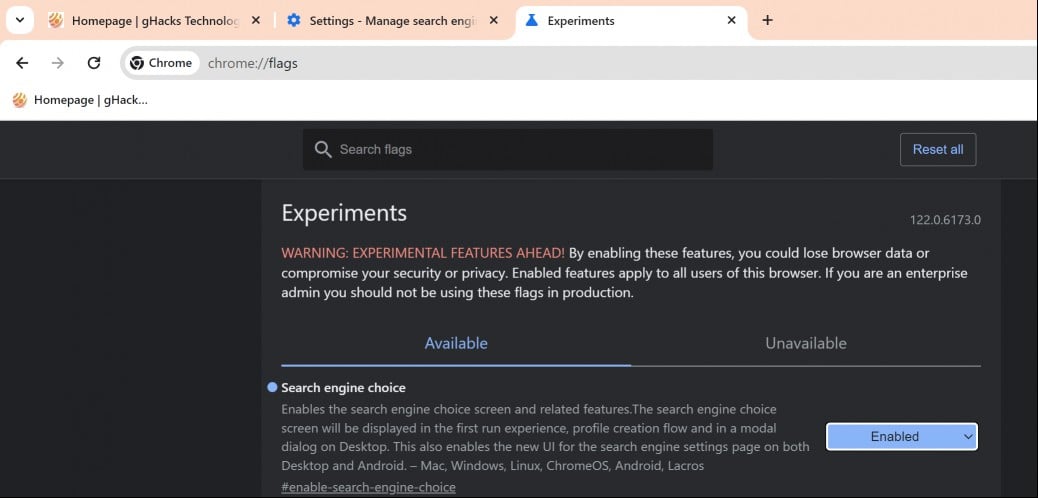
The browser choice screen is displayed in Chrome Canary only at the time. It will take weeks or even months before it lands in Chrome Stable.
Google controls the feature with a flag, which you may enable or disable n Chrome Canary already.
Chrome should display the browser prompt now.
Closing Words
Google is not the only lobal player that is improving the user-friendliness of its products in the European Union and European Economic Area. Microsoft is giving Windows users in those regions more control over the operating system in April 2024. This includes options to remove Microsoft Edge and Bing Search among other things.
Now You: which search engine would you select?

The rise of AI has helped us make some huge leaps. From helping with medicine research to spotting cancer, the advances enabled by AI have been pretty
articiOver the past few years, AI has gone from limited chatbots to suddenly dominating the news cycle every single day. There are a range of AI chatb

When you think of AI, names like Google, Microsoft, and OpenAI pop up in your mind. Netflix, the world’s biggest streaming platform, doesn’t quite sou

Google’s Chrome browser has offered a rich suite of privacy and safety features for a while now. Take, for example, Enhanced Safe Browsing, which was

The idea of a truly helpful digital assistant has caught more steam ever since products like ChatGPT landed on the scene. Google’s Gemini has inched p

Imagine a tech giant telling you that it wants your Instagram and Facebook posts to train its AI models. And that too, without any incentive. You coul

One of the most obvious — and honestly, the dullest —trends within the smartphone industry over the past couple of years has been the incessant talk a

In 2024, Hollywood was roiled by protests led by the SAG-AFTRA union, fighting for fair rights over their physical and voice identities in the age of
We are a comprehensive and trusted information platform dedicated to delivering high-quality content across a wide range of topics, including society, technology, business, health, culture, and entertainment.
From breaking news to in-depth reports, we adhere to the principles of accuracy and diverse perspectives, helping readers find clarity and reliability in today’s fast-paced information landscape.
Our goal is to be a dependable source of knowledge for every reader—making information not only accessible but truly trustworthy. Looking ahead, we will continue to enhance our content and services, connecting the world and delivering value.